A will says who gets what. It doesn't say where anything is.
Putting Things in Order puts everything your family would need into one locked file on your computer or laptop, then prints it as a binder they can find. It takes a few evenings. No account, no login, and nothing online.
One payment, no subscription. Covers your household and both sets of parents.
The real app, with a made-up family.
If something happened tomorrow, would your family know where to start?
Most families spend weeks hunting for accounts, papers and passwords one person could have listed. The hard part isn't the will. It's what the will doesn't say.
How it works
Get your affairs in order one plain question at a time, over a few evenings at home.
You only write down what your family would have to hunt for, not every item in the house. Stop whenever you like. It saves as you go, locked with your passphrase.
"I don't even know what I'm missing."
Find the gaps that could cost your family, in time.
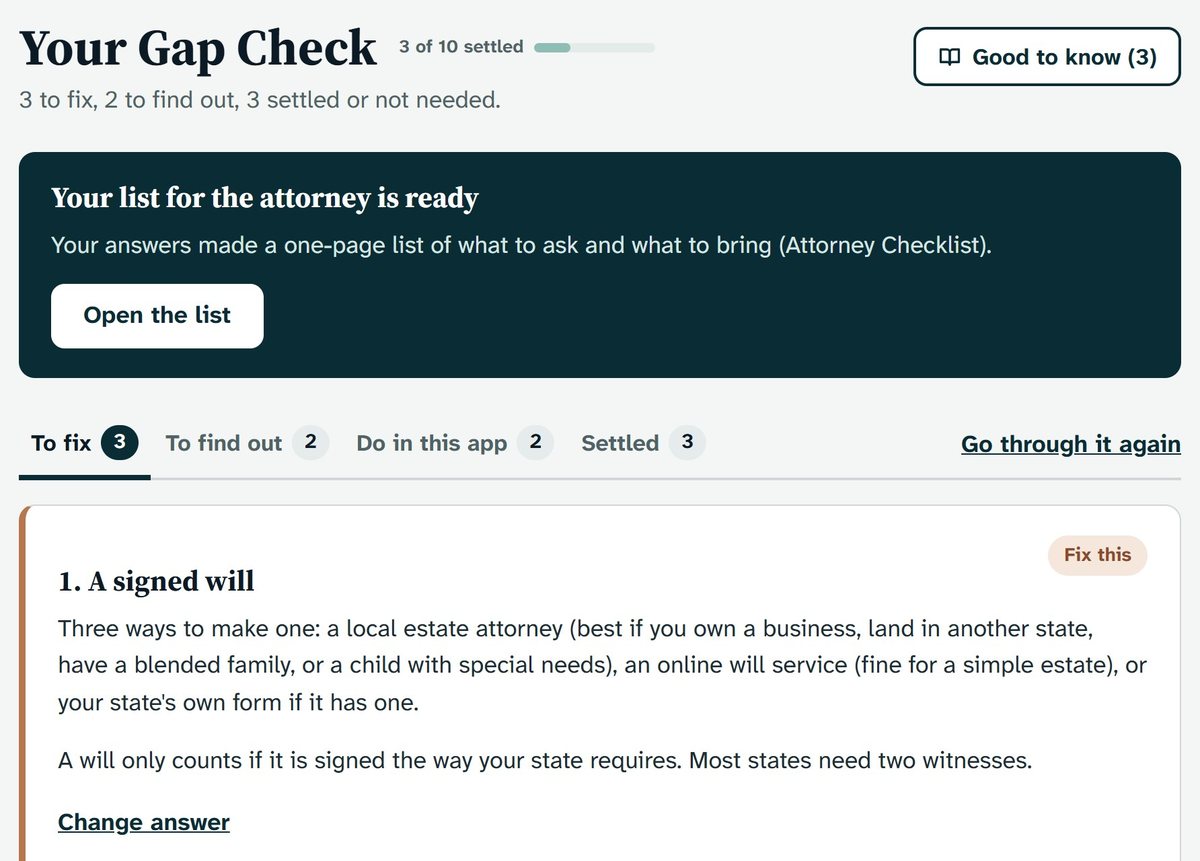
Eight plain questions, about five minutes. Then a short list: what to fix, what to find out, and what's already fine, with how to fix each one.
"Lawyers charge by the hour."
A list of exactly what to ask the lawyer, made for you.
Your answers turn into one page: what you need, what to bring and what to ask. You walk in ready, so you pay for less of their time.
Get Putting Things in Order, $97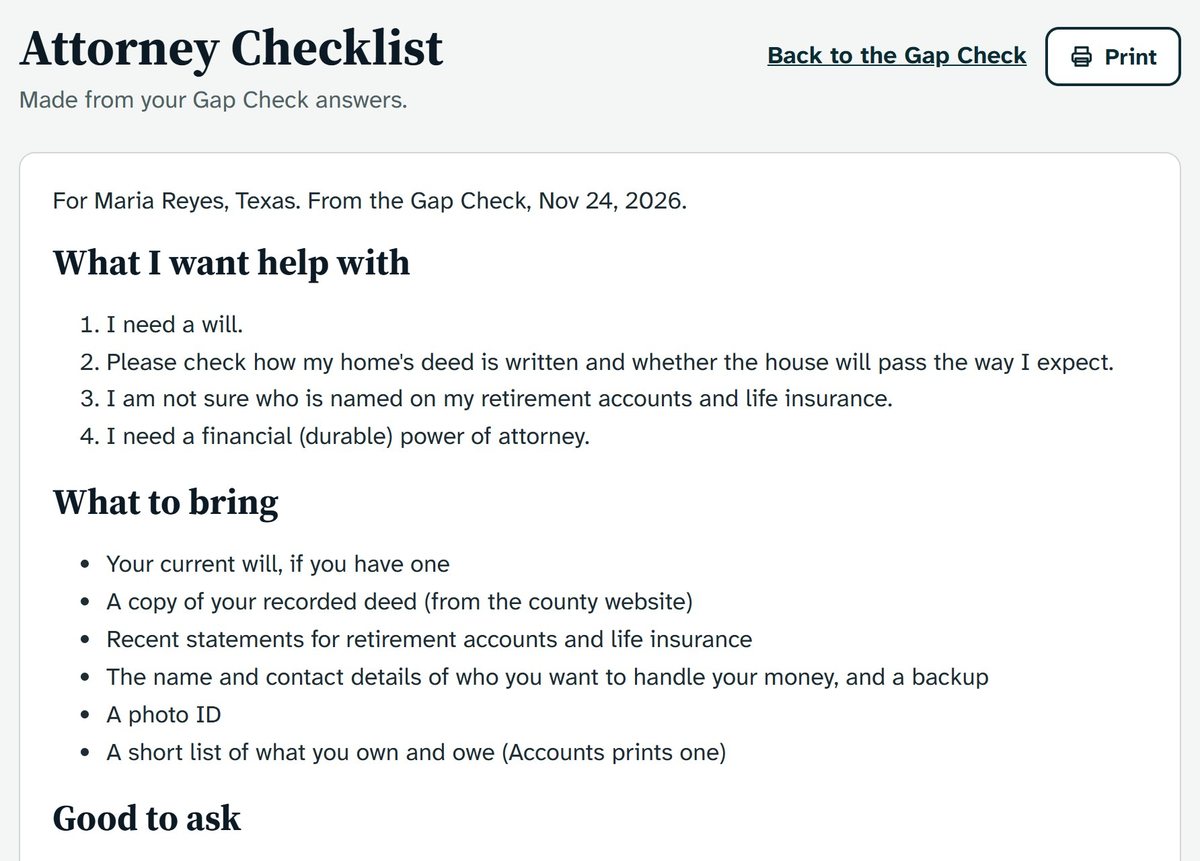
"Where would they even start?"
They'll know where everything is, and who to call.
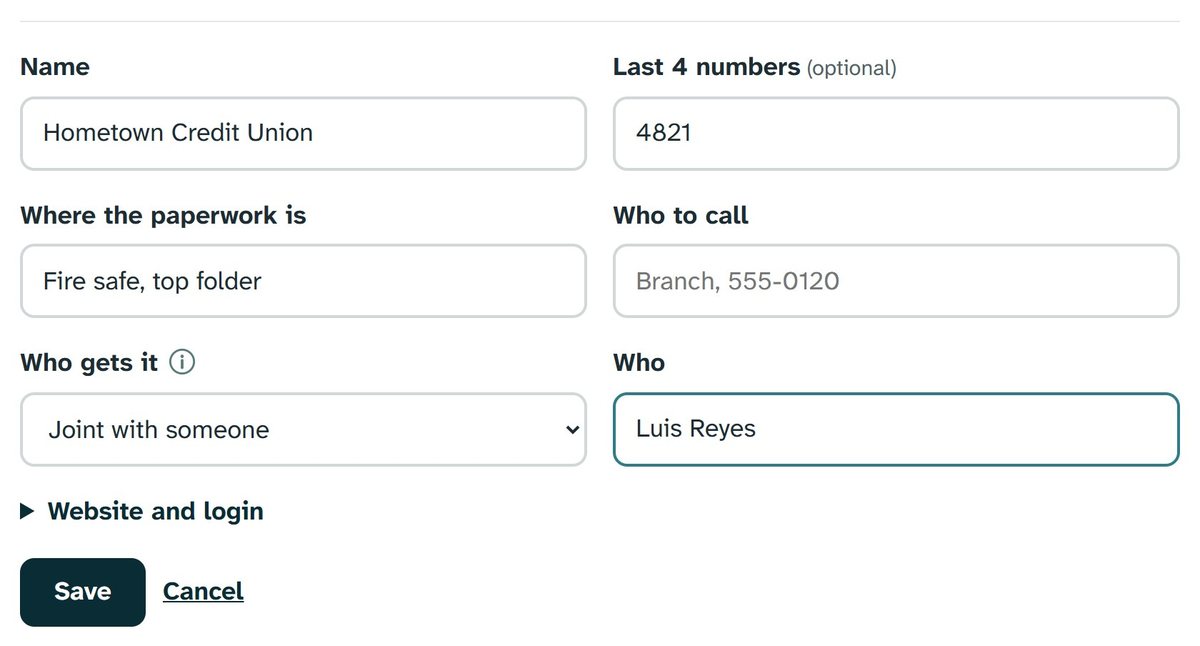
The accounts and who's named on each, where the will and the deed are, the doctors, the passwords, the first calls to make and the funeral you want. Written once, in one locked file. The bank's own forms decide who gets an account, and the app reminds you to check them.
"Would they ever find it?"
A binder on the shelf they can pick up and follow.
It opens with "If I have died: start here," then who to call, the accounts, the papers and your wishes. A few minutes once a year keeps it up to date.
Get Putting Things in Order, $97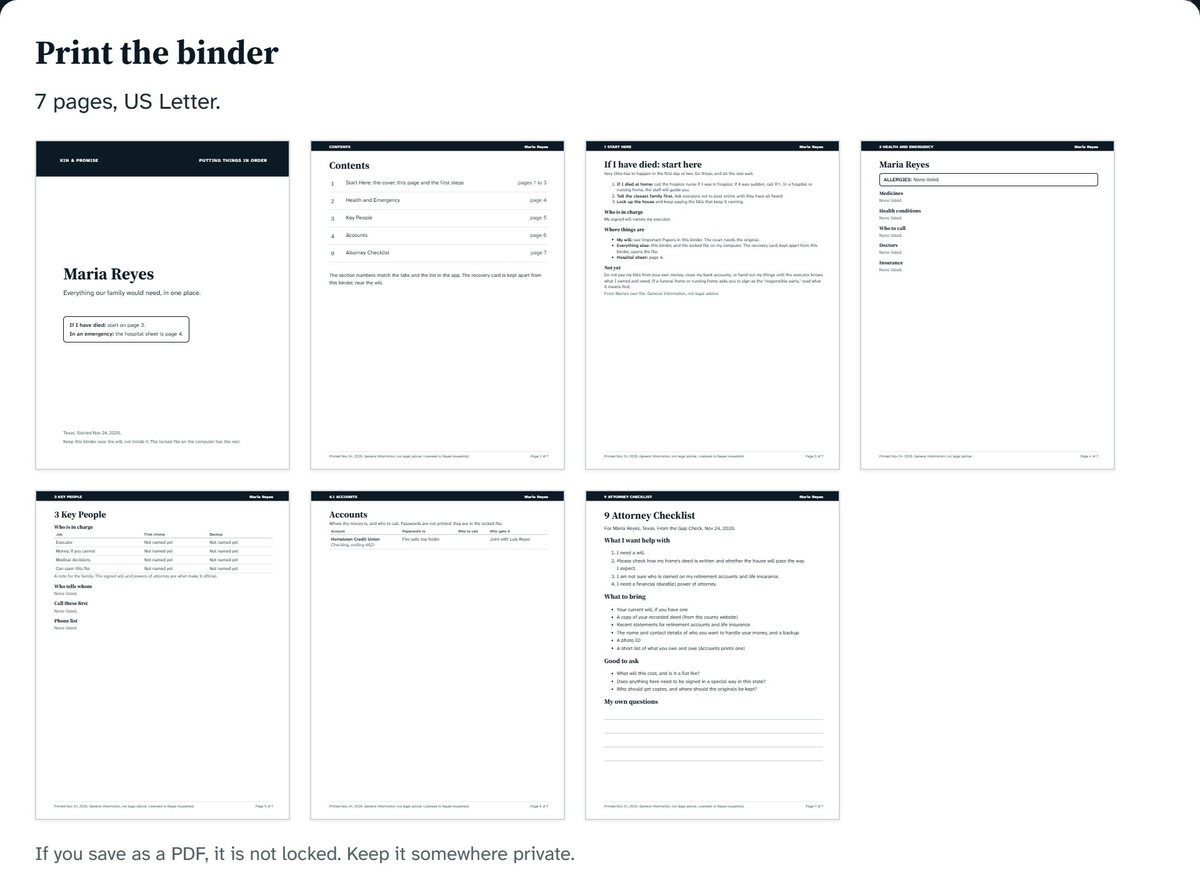
Why we built it
One line on a deed cost my mom thousands.
My dad set up a lot before he passed, so my mom wouldn't have to. But he missed one thing: the deed to their house in Texas didn't say what happens when one of them dies. To put the whole house in her name, my mom needed a lawyer, and all three of us kids had to sign. That one change cost her about $3,000.
That question is now in the app's Deed Check. Putting Things in Order is what we wish my parents had: the questions to ask while everyone is still here, and everything written down in one place.
Kyle, Kin & Promise
Check your own deed. It takes about ten minutes, and it is much easier to fix while everyone is still here.
What's inside
Everything your family would need, written down once and kept in one place.
"What am I missing?"
Eight plain questions find the gaps, then what to fix and exactly what to ask a lawyer.
Gap Check and lawyer list
"Who gets the house if one of us dies?"
About ten minutes to see how your house would pass, and whether to fix it.
Deed Check
"The hospital needs your medicines."
Your doctors, medicines and who to call, on one printed sheet that's easy to grab.
Emergency page
"Who would they even call?"
Who's in charge of what, and who to call first.
Key People
"Which banks? Which papers?"
Where the money is, who's named on each account, and where every paper is kept.
Accounts and Papers
"Nobody can get into your phone."
Your phone, email and passwords, locked, and what should happen to each one.
Digital Life
"Who would take the dog?"
How the bills are paid, the shutoffs and the pets, the funeral you want, and a letter.
House, Bills and Wishes
"Would they ever find it?"
Printed pages that open with "If I have died: start here," kept true once a year.
The binder and Yearly Review
Helping a parent with theirs?
The hardest part is often just starting the talk with your parents.
Get your parents' information one page at a time, without one big, hard talk.
Talking With Your Parents
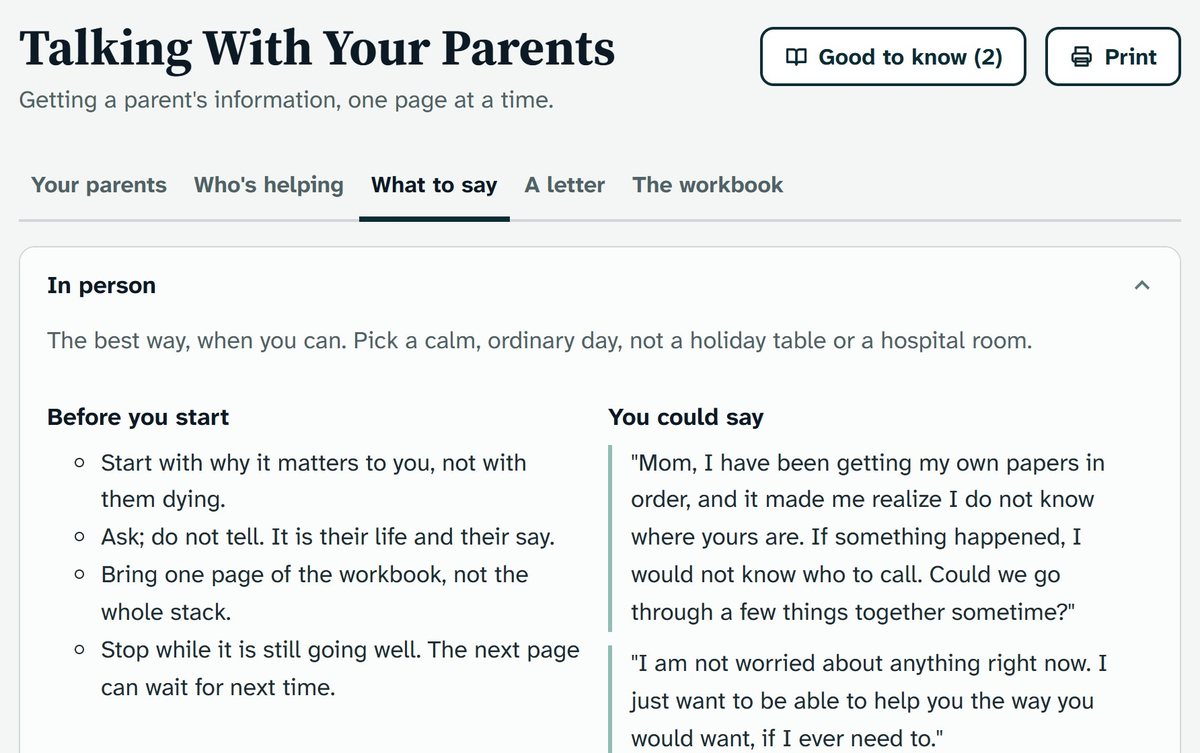
"I don't know how to bring it up."
The exact words for the first talk, in person or by phone.
"Not now." "It's all in the drawer."
What to say back, so the door stays open.
"They won't sit at a computer."
A large-print workbook they fill in by hand, and a letter to mail first.
"My brothers and sisters keep asking."
See which pages came back, and who is handling what.
When they're ready, their own file starts from what they gave you.
Private and offline
Nothing you type leaves your computer.
No account, no cloud and no login. Everything you type stays right here on your own computer or laptop, in one file locked with a passphrase that you choose.
- Locked with your passphrase, plus a printed recovery card in case you ever forget it
- Works with the Wi-Fi off, because it never needs the internet
- We keep only your name, email and what you bought, to send your code and updates
- Pay once and keep it: no subscription, nothing to renew, and backup copies you keep yourself
Putting Things in Order
Your affairs in order, for one payment.
Putting Things in Order
Everything your family would need, in one locked file.
- Find and fix the gaps that cost families money
- Your family will know where every account and paper is
- Who to call first, your wishes, and a binder to follow
- Plain-word help on each page, and a year of updates
- For your household and both sets of parents
- A download for Windows or Mac, works offline
Add to your order
Secure checkout by Stripe. Your download link shows right after you pay, and it's emailed to you too. Full refund any time before you download it, or after, if it won't run on your computer and we can't fix it.
Settling a parent's estate right now? See Settling an Estate.
Questions
Good to know before you buy.
What is Putting Things in Order?
Putting Things in Order is a private app for Windows and Mac computers and laptops that helps you get your affairs in order. It finds the gaps that could cost your family, keeps your accounts, papers, passwords and wishes in one locked file, and prints a family binder. It works offline, with no account.
I already have a will. Do I need this?
A will says who gets what. It doesn't list your accounts, passwords or doctors, or say where anything is kept, and it is often not found until days after it is needed. Putting Things in Order is the part a will leaves out.
Do I still need a lawyer?
Sometimes, for a will, a deed or a power of attorney. The app tells you when one is worth it, and makes a list of what to ask and what to bring, so you pay for less of their time. Kin & Promise is general information, not legal advice.
How long does it take?
The first check takes about five minutes, and most people do the rest over a few evenings. Stop whenever you like. It saves as you go.
Can I make one for my parents too?
Yes. One copy covers your household and both sets of parents, and every file opens with the same passphrase. Talking With Your Parents, a $37 add-on, helps you start that talk.
Is my information stored online?
No. There is no account and no cloud. Everything you type stays in a locked file on your computer. We keep only your name, email and what you bought, so we can send your code and your updates.
I'm not good with computers. Can I do this?
If you can fill in a form online, you can use it. It asks one question at a time, in plain words, with large text, and it saves as you go. You open it by clicking a file, the same as opening a document.
Does it work on a phone?
No. It runs on a Windows or Mac computer or laptop, in Chrome, Edge, Brave, Firefox or Safari. A computer or laptop makes the typing and the printing much easier.
What if I forget my passphrase?
When you lock your first file, the app makes a recovery card for you to print and keep somewhere safe. The card opens your files if the passphrase is ever lost.
Can I get a refund?
Yes. A full refund any time before you download it. After you download it, you get your money back if it won't run on your computer and we can't fix it.
So your kids won't have to go through this.
A few evenings now, and your family knows where everything is.